
How Headshots Boost LinkedIn Connections
Your LinkedIn profile photo is your digital first impression. Profiles with professional headshots get 21× more views and 9× more connection requests compared to those without. A clear, polished photo signals professionalism, builds trust, and helps you stand out in competitive job markets or business networking.
Key Takeaways:
- Common Mistakes: No photo, casual selfies, poor lighting, or outdated images can hurt your credibility.
- Why It Matters: Professional photos increase profile views, connection requests, and recruiter engagement.
- DIY Tips: Use natural lighting, a clean background, and proper framing. Ensure your expression is approachable and confident.
- AI Tools: Platforms like PhotoGuru AI turn simple selfies into studio-quality headshots starting at $35.
Your LinkedIn photo isn't just a picture - it's a tool to build trust and open doors. Whether you DIY or use AI, investing in a professional headshot can dramatically improve your networking success.
10 LinkedIn Profile Tips | Headshot Photography
The Problem with Poor LinkedIn Profile Photos
Your LinkedIn photo serves as an important first impression - it can open doors when done right or close them just as quickly when it misses the mark. Unfortunately, many professionals in the U.S. underestimate how much harm a weak or missing headshot can do. If your photo doesn’t immediately convey professionalism and reliability, you risk losing valuable opportunities. These issues can significantly hinder your networking efforts.
Common LinkedIn Profile Photo Mistakes
Certain photo missteps often send the wrong message to recruiters, hiring managers, and potential clients:
- No photo at all: A profile without a photo can feel incomplete or inactive. Without a face to connect with, people may hesitate to engage, undermining the trust that’s so crucial for networking success.
- Unprofessional selfies or casual photos: Using selfies, wedding shots, or vacation pictures may seem harmless, but they blur the line between personal and professional. Car selfies, bathroom mirror shots, or images from parties can suggest a lack of understanding about workplace norms, especially in U.S. business culture where a polished yet approachable look is expected.
- Technical issues: Poorly cropped images - like cutting yourself out of a group photo - or photos that are dark, blurry, or grainy can make you appear inattentive to detail. These errors leave a sloppy impression.
- Outdated pictures: Using a photo that no longer resembles you, whether due to age, hairstyle changes, or other differences, can cause confusion or even break trust during in-person or virtual meetings. This disconnect may lead others to question your authenticity.
How Poor Photos Lead to Missed Connections
These photo mistakes don’t just hurt your image - they can directly impact your ability to build connections and seize opportunities:
- Fewer profile views: Profiles with professional headshots receive significantly more views and engagement. Recruiters often skim through profiles, favoring those that appear polished and skipping over those with poor or missing photos.
- Reduced responses to messages and requests: A casual or unclear image can discourage people from accepting your connection requests or replying to your messages, limiting your networking potential.
- Lost trust in sales or client-facing roles: If your photo doesn’t reflect professionalism, potential clients or prospects may doubt your reliability. Similarly, event organizers or podcast hosts scanning LinkedIn for speakers often choose individuals whose photos project a stronger professional presence.
- Lower content engagement: Posts from accounts with weak or absent profile photos tend to get fewer clicks and reactions. Readers are less likely to feel connected or view you as an authority without a strong visual impression.
- Missed opportunities in hiring decisions: For candidates on the edge of consideration, an unprofessional or mismatched photo can become a tiebreaker. Hiring managers may favor someone who presents a more polished and cohesive image over someone whose photo feels out of place.
How Professional Headshots Increase LinkedIn Connections
A professional headshot is more than just a finishing touch for your LinkedIn profile - it plays a key role in shaping how others perceive and interact with you. When someone visits your profile, your photo sparks an immediate judgment that can either open doors to job opportunities, valuable connections, and client relationships - or push them away.
First Impressions and Networking Success
Our brains are wired to make quick judgments based on faces. On LinkedIn, where recruiters and potential clients often skim through countless profiles, that initial impression becomes even more critical. A well-lit, clear headshot that shows your face, eyes, and a relaxed expression can instantly convey professionalism and approachability. Research highlights that such photos communicate trust (via direct eye contact and natural lighting), competence, and warmth (through a genuine smile and open posture). When these qualities shine through, recruiters are more likely to reach out, clients are more inclined to respond, and peers see you as someone worth connecting with.
On the flip side, unprofessional photos - think blurry images, heavy filters, party snapshots, or obvious selfies - can suggest a lack of attention to detail or an unfamiliarity with workplace norms. In the U.S., where LinkedIn is a dominant networking tool, a polished headshot signals that you take your career seriously. A consistent, high-quality photo also acts as a personal brand marker, making you easily recognizable in posts, comments, and messages.
LinkedIn Data on Profile Photos and Engagement
The impact of a professional headshot isn’t just anecdotal - LinkedIn's own metrics back it up. Profiles with a photo receive up to 21× more views and 36× more messages. Other studies echo this, showing that clear, business-appropriate headshots significantly boost click-through rates, outreach, and responses. One study even found that profiles with professional photos get 14 times more views than those without.
Recruiters frequently emphasize the importance of a professional photo, noting that it’s one of the first elements they assess when deciding whether to connect. In the fast-paced U.S. hiring and sales environment, a polished image acts as a visual cue for reliability and attention to detail. On the other hand, a casual or missing photo can lead them to prioritize another candidate. Beyond just profile views, a headshot that radiates confidence and warmth encourages more engagement - whether it’s likes, comments, or shares on your content. Career coaches and headshot photographers often observe that updating to a professional-quality image leads to noticeable increases in freelance inquiries, connection requests, and interview invitations.
For those without access to traditional photography services, AI-driven tools like PhotoGuru AI offer a practical solution. By uploading a simple selfie, users can create studio-style headshots in various professional styles, tailored for LinkedIn and other business platforms. It’s a quick, low-effort way to experiment with looks and find the one that makes the strongest networking impact.
What Makes a Good LinkedIn Headshot
A strong LinkedIn headshot isn’t just about looking polished - it’s about making an instant impression that conveys trust, professionalism, and approachability. Whether you’re networking, job hunting, or growing your client base, your photo plays a big role in shaping how others perceive you. The difference between a standout headshot and one that gets ignored often boils down to a few critical elements.
Lighting, Background, and Framing
Lighting is key to a professional-looking headshot. Soft, even lighting ensures your face is well-lit without harsh shadows under your eyes, nose, or chin. For a DIY setup, position yourself facing a large window during an overcast day or when the sunlight is indirect, like in the morning. If natural light isn’t an option, a ring light or softbox placed slightly above eye level at a 45-degree angle can mimic studio-quality lighting. Avoid using harsh overhead lights, direct midday sun, or backlighting, which can create unflattering shadows or silhouettes.
The background matters more than you might think. A clean, neutral backdrop - like a light gray, beige, or white wall - keeps the focus on your face. At home, you can use a plain wall, hang a solid-colored sheet, or position yourself far enough from the background to create a subtle blur. This simplicity ensures nothing distracts from your image.
Framing ensures your photo works well across LinkedIn’s platform. Since LinkedIn uses a circular crop for profile pictures, your headshot should be tightly framed from the chest or shoulders up. Your face should fill about 60–70% of the image, with your eyes positioned in the top third of the frame. This framing makes your face recognizable, even in small thumbnails. To avoid distortion, use a camera or smartphone at eye level. Once your setup is ready, the next step is capturing an engaging, natural expression.
Expression, Eye Contact, and Pose
Your expression and posture play a big role in how others perceive you. A natural, relaxed smile paired with direct eye contact helps you appear approachable and trustworthy. Looking straight into the camera mimics real eye contact, which studies show boosts likability and credibility. Think about the expression you’d use when meeting a potential client or colleague for the first time - friendly, confident, and genuine.
Avoid stiff, overly formal expressions that can come across as distant, or casual grins that might not fit a professional setting. Practice a small, genuine smile in the mirror - one that reaches your eyes - and hold that expression while looking into the camera.
Posture and pose should strike a balance between relaxed and professional. Keep your shoulders slightly back and your chin level or slightly down to avoid unflattering angles. Standing squarely to the camera can feel stiff, so angle your body slightly (about 10–30 degrees) while turning your head toward the lens. This creates a more natural and dynamic look.
Avoid slouching or crossing your arms, as these can make you seem closed-off. The goal is to project confidence and openness - qualities that encourage others to connect with you. Once you’ve nailed your pose, you’ll want to ensure your outfit matches the professional image you’re aiming for.
Professional Attire and Grooming
Your LinkedIn headshot wardrobe should reflect the professional norms of your industry. For corporate fields like finance, law, or consulting, business formal attire is the standard: a suit and tie for men, or a suit, blazer, or professional dress for women, typically in classic colors like navy, gray, or black.
Creative and tech industries often lean more toward business casual. Professionals in marketing, design, or media might choose a crisp button-down, a stylish sweater, or a blazer with a bit of personality. In tech, neat but approachable outfits - such as a solid-color polo or button-down shirt - are common.
The key is to dress as you would for an important interview or client meeting in your field. Stick to solid colors or subtle patterns that complement your skin tone without clashing with the background. Keep accessories minimal - simple earrings or a watch work well, while bold statement pieces can distract from your face.
Grooming ties everything together. Make sure your hair, facial hair, and makeup are tidy and professional. If you wear glasses, ensure they’re clean and adjust them to avoid glare that might obscure your eyes. Your eyes are essential for creating a sense of connection, so they should always be clearly visible.
For those who want a polished headshot without the hassle of setting up lighting, backgrounds, and angles at home, tools like PhotoGuru AI offer an easy solution. By uploading a few clear selfies, you can create studio-quality headshots tailored for LinkedIn, whether you prefer a corporate, business casual, or creative style. The platform handles all the technical details - lighting, framing, and background - so you can focus on finding the look that best represents your professional brand. It’s a convenient way to achieve a polished, professional image without needing a full photoshoot.
sbb-itb-5a0f94b
How to Create a Professional Headshot
You don’t need to spend a fortune on a studio session to get a polished LinkedIn headshot. Whether you’re snapping a photo with your smartphone or using AI tools, there are affordable ways to achieve professional results. The trick is to find what works best for you - consider your budget, timeline, and how comfortable you are with technology. Below, we’ll share some practical DIY tips and introduce an AI-powered solution to help you capture the perfect profile picture.
DIY Tips for Taking Your Own Headshot
A smartphone can deliver a professional-quality headshot if you follow a few key steps. With modern phones offering high-resolution cameras, success is all about technique.
Start by using your rear camera, which generally provides better resolution and less distortion than the front-facing one. Position your phone at or slightly above eye level using a tripod, a pile of books, or any stable surface. Avoid shooting from below, as it can create unflattering angles, and shooting from too high up can make you appear smaller or less confident.
Lighting is everything. Natural light works best - stand facing a large window with soft, indirect light. North-facing windows in the U.S. are great because they provide consistent lighting throughout the day. If that’s not an option, try shooting in the morning or late afternoon near an east- or west-facing window. The goal is to ensure even lighting across your face while avoiding harsh shadows under your eyes, nose, or chin.
Choose a clean, neutral background. A plain wall in a soft color - like white, light gray, or beige - keeps the focus on you. If you’re in an office, position yourself so background elements are slightly blurred and don’t distract from your face.
Frame the shot so your head and upper shoulders fill most of the image, leaving a little space above your head. LinkedIn crops profile pictures into a circle, so keep your face centered and ensure it occupies about 60% of the frame. Tap the screen to focus on your eyes - they should be the sharpest part of the image.
Take multiple shots to ensure you get a sharp, natural photo. Review each one at full size to check for clarity, good lighting, and a genuine expression. Discard any blurry or poorly lit images.
Afterward, use your phone’s editing tools to crop and adjust brightness, contrast, and white balance. Skip heavy filters or excessive skin smoothing - your headshot should look like you on a great day, projecting the professional image you want for LinkedIn.
Using PhotoGuru AI for Studio-Quality Results
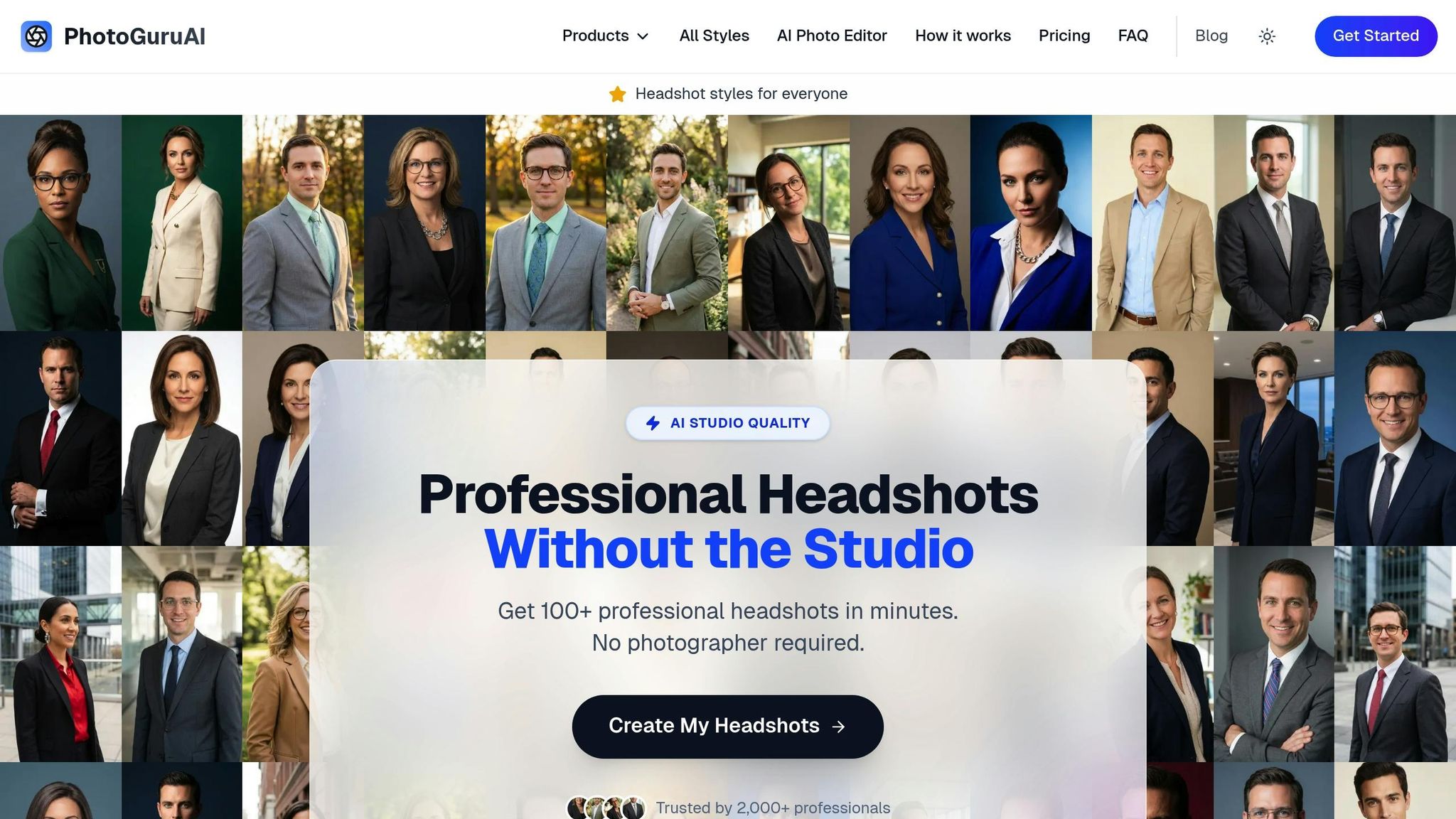
If taking your own headshot feels like too much work, PhotoGuru AI offers a quick and easy way to get professional results. This platform uses artificial intelligence to transform simple selfies into polished headshots designed for LinkedIn and other professional platforms.
Here’s how it works: upload 5–10 selfies showing your face from different angles - front-facing shots and three-quarter views work best. Make sure the photos are well-lit (natural light works great) and accurately reflect your current appearance, including your hairstyle, glasses, or facial hair. This variety helps the AI create realistic results.
Next, choose from over 30 professional styles tailored to different industries. For example, corporate professionals in finance or law might prefer a formal business look with a neutral background, while those in tech or marketing could opt for a more relaxed, business-casual style. Creative professionals might lean toward modern or artistic styles with dynamic lighting.
PhotoGuru AI handles everything - lighting, background, framing, and retouching are all adjusted automatically. Depending on the plan you choose, your high-resolution headshots are delivered in as little as 15 to 45 minutes. Each image is optimized for LinkedIn’s circular profile format, ensuring proper framing and composition.
The platform has generated over 1 million photos and is trusted by more than 2,000 professionals. With a 4.9 out of 5 average rating and a 7-day money-back guarantee, it’s a reliable option if you’re not satisfied with the results.
One big advantage? Variety. Instead of receiving just a few images like you would from a traditional shoot, PhotoGuru AI provides multiple options with different backgrounds, lighting, and subtle variations in expression and pose. This flexibility means you can use different headshots for LinkedIn, your company website, or even your email signature.
Additionally, all headshots include commercial usage rights, so you can legally use them across LinkedIn, personal websites, marketing materials, and more. For those who want extra features, higher-tier plans include tools for photo editing and even AI-generated videos - perfect for building your personal brand.
PhotoGuru AI Pricing and Value
PhotoGuru AI offers straightforward, one-time pricing, making it easy to compare with traditional photography costs.
- Starter Plan: $35 for 50 headshots, 5 edits, 3 style options, and commercial usage rights; images delivered in 45 minutes.
- Professional Plan: $45 for 60 headshots, 10 edits, 5 style options, 5 AI video credits, and commercial usage rights; images delivered in 30 minutes with priority support.
- Premium Plan: $75 for 100 headshots, 15 edits, all available styles, 15 AI video credits, and commercial usage rights; images delivered in 15 minutes with priority processing and support.
Compared to traditional headshot photography - which can cost $150 to $450 per session in the U.S. - PhotoGuru AI is a time-saving and budget-friendly alternative. Traditional shoots often take weeks to schedule and deliver results, and multiple sessions can easily add up to thousands of dollars. With PhotoGuru AI, you get dozens of high-quality images delivered the same day, without the hassle.
For teams, the platform offers group plans priced at $33 to $42 per person. Each team member receives 60 headshots, individual photo processing, and access to a group dashboard for managing and downloading images. This is an efficient option for businesses looking to create consistent, professional headshots for their entire staff.
Whether you go the DIY route or opt for AI-powered tools, the goal is the same: to present a polished, professional headshot that enhances your LinkedIn profile and helps you make stronger connections.
Measuring the Results of Your New LinkedIn Headshot
Once you've updated your LinkedIn headshot, it’s time to assess its impact. A professional headshot can elevate your profile, but tracking the results helps confirm its role in boosting visibility and strengthening connections. LinkedIn’s built-in analytics make it easy to measure how your profile performs, giving you insights into whether your new photo is drawing more attention and creating better networking opportunities. By comparing key metrics before and after the update, you’ll have a clear sense of whether your investment is paying off.
Tracking LinkedIn Metrics Before and After
To evaluate the effect of your new headshot, start by establishing a baseline. Before uploading the updated photo, monitor your metrics for 7–14 days. Record weekly averages for:
- Profile Views: Check how many people are visiting your profile under Analytics > Profile Views.
- Search Appearances: Track how often your profile appears in LinkedIn searches and recruiter filters under Analytics > Search Appearances.
- Connection Requests Received: Note if more people are reaching out to connect, visible in the My Network tab.
- Connection Request Acceptance Rate: Calculate how many of your sent invitations are accepted by dividing accepted requests by the total sent.
- InMail and Messages from Recruiters: Particularly valuable if you’re job hunting, as recruiters typically spend just 7 seconds scanning a profile before deciding to engage.
- Post Impressions and Engagement: Observe how your enhanced visual presence influences the reach and interaction with your posts.
After uploading your new headshot, track these same metrics for 14 to 30 days. This longer timeframe helps identify genuine trends rather than random fluctuations. For instance, if your profile views jump from 50 to 100, that’s a 100% increase, signaling your new photo might be grabbing more attention.
To ensure accurate results, avoid making other major profile changes - like rewriting your headline or About section - for at least one to two weeks after updating your photo. This way, any improvements in performance can be attributed primarily to the headshot. If you notice a sudden spike in views or connection requests without changing your posting activity, it’s a strong indicator that the headshot is the driving factor.
Once you’ve gathered enough data, calculate the percentage change using this formula: (After – Before) ÷ Before × 100%. For example, if your weekly profile views rise from 80 to 200, that’s a 150% increase. These numbers provide a concrete understanding of how your new headshot is impacting your LinkedIn presence.
Using Your Headshot to Improve Networking Results
With your baseline metrics in hand, you can leverage your headshot as part of a broader networking strategy. A polished headshot grabs attention and builds trust, but its full potential is unlocked when combined with a strong LinkedIn profile and active engagement.
Start by ensuring your headline is clear and value-driven. Instead of a generic title like "Project Manager", use something more specific, such as "Project Manager | Delivering On-Time, On-Budget Tech Solutions for Growing U.S. Businesses." Pairing a professional headshot with a compelling headline makes it easier for viewers to understand your expertise and the value you bring.
Your About section should reinforce the positive first impression created by your headshot. Write a concise, results-oriented summary that highlights what you do, who you help, and how people can contact you. When visitors are drawn in by your photo, a well-written About section keeps them engaged and encourages them to connect.
When sending connection requests, personalize your message. A professional headshot combined with a tailored note - explaining why you’re reaching out or what you have in common - can significantly boost acceptance rates. For instance, instead of using LinkedIn’s default invitation, try something like: "Hi Sarah, I noticed we both specialize in digital marketing in Chicago. I’d love to connect and exchange ideas on content strategy." This approach makes you appear intentional and approachable.
Your headshot also acts as a visual signature across LinkedIn. Use the same image in posts, articles, and newsletters to create consistency and build recognition. When people see your face repeatedly in their feed, they’re more likely to remember and engage with your content. Extending this consistency to your personal website, email signature, and other platforms helps ensure instant recognition when you reach out.
As your new headshot drives more profile views and connection requests, focus on turning that visibility into real opportunities. Send personalized follow-ups to new connections, invite contacts to brief virtual coffee chats (15–20 minutes), and add clear calls-to-action in your About section or Featured content, such as "Message me to schedule a 20-minute intro call".
Track how these efforts translate into tangible outcomes like interviews booked, discovery calls scheduled, or client meetings arranged. This helps you measure the return on your updated headshot and related profile enhancements.
If you used a tool like PhotoGuru AI to create multiple headshots, consider testing different styles over time. Upload one version, track performance for a few weeks, then switch to another and compare results. Since PhotoGuru AI ensures consistent lighting and framing, you can focus on subtle differences like expression, attire, or background to see which resonates most with your audience - whether it’s recruiters, clients, or peers.
Conclusion
Your LinkedIn headshot isn't just a photo - it's your digital handshake, shaping how others perceive your professional brand. A well-crafted image can establish trust, showcase credibility, and increase the chances of someone reaching out or considering you for opportunities. In fact, LinkedIn data reveals that profiles with headshots can get up to 14× more views, and recruiters often spend just 7 seconds scanning a profile before deciding to engage.
A strong headshot - featuring clear lighting, a simple background, direct eye contact, and attire that fits your industry - creates an immediate and positive impression.
The good news? Upgrading your headshot is easier and more affordable than you might think. With proper lighting, a smartphone, and a clean backdrop, you can achieve great DIY results. Not feeling confident about doing it yourself? Tools like PhotoGuru AI can deliver studio-quality headshots in minutes, starting at just $35 for 50 LinkedIn-ready images.
Once you've updated your profile photo, keep an eye on your profile views, connection requests, and messages to measure the difference. Whether you're actively job searching, growing your client base, or expanding your professional network, a refreshed headshot can make a noticeable impact. It not only strengthens your personal brand but also acts as a gateway to building meaningful connections on LinkedIn.
FAQs
What’s the best way to make my LinkedIn headshot look professional and approachable?
A LinkedIn headshot needs to blend professionalism with approachability. Start with good lighting, a clean or neutral background, and wear attire that suits the norms of your industry. A warm, confident expression can go a long way in leaving a positive impression.
If you’re looking for an easy way to upgrade your photo, PhotoGuru AI offers a solution. It takes your selfies and turns them into polished, studio-quality headshots in over 30 styles. The result? A profile photo that’s professional, approachable, and sure to grab attention.
What mistakes should I avoid when choosing a LinkedIn profile photo?
When it comes to making a solid impression on LinkedIn, your profile picture plays a big role. Steer clear of common pitfalls like casual or unprofessional photos, poor lighting, or distracting backgrounds. Instead, aim for a photo that exudes both professionalism and approachability.
Choose a clean, well-lit headshot where your face is the focal point. Dress in attire that represents your industry and professional image. Avoid using group photos, selfies, or outdated images - they can take away from the credibility of your personal brand. If you need a quick fix for a polished look, tools like PhotoGuru AI can help you create professional-quality headshots with ease.
How can AI tools like PhotoGuru AI create professional LinkedIn headshots from my selfies?
PhotoGuru AI simplifies the process of enhancing your LinkedIn profile with professional-looking headshots - no need for a photoshoot. All it takes is uploading your selfies. From there, you can pick from over 30 styles crafted specifically for LinkedIn and personal branding. The steps are easy: upload your photos, choose your favorite styles, and let the AI create polished, studio-quality images in no time.